 FxTimer
What FxTimer does
A stopwatch built for one job: flying F3K and F5K — on iPhone and Android alike, with the same features on each.
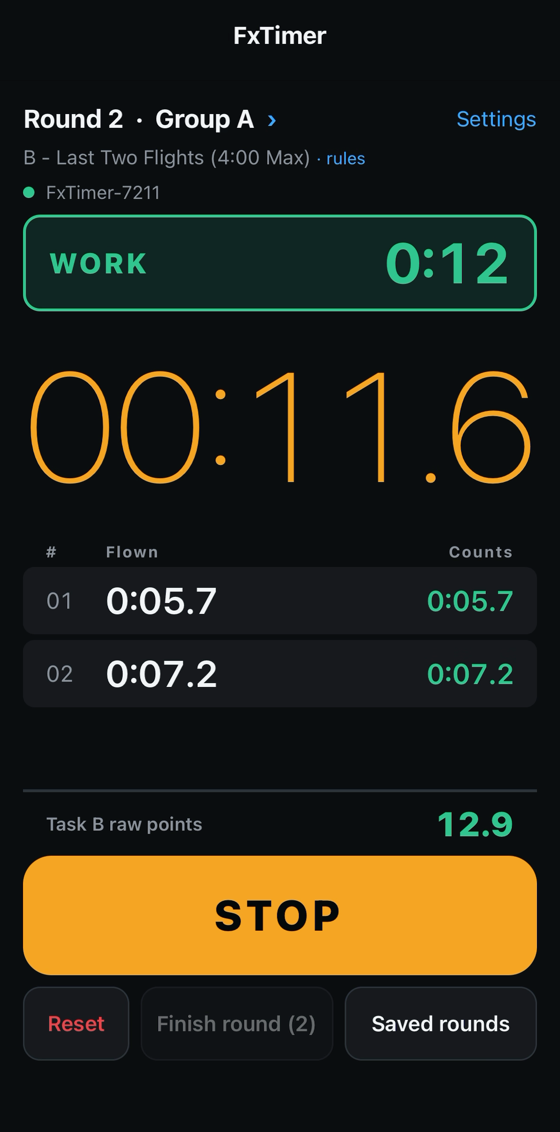
On the flight line
Big controls. The running time fills the screen and the controls are sized for a thumb, so a flight can be started and stopped without looking away from the model.
The volume keys work as the trigger. Press either one to start or stop. It is the same motion whether the phone is in your hand, in a pocket or clipped to a stand, and it needs no sight of the screen at all.
Flights listed as you fly them. Each time is added as it is taken, and the round's score is worked out as it goes rather than at the end.
Legible in the dark. The app is dark throughout, and the window state is a colour rather than a label — red while flying is not allowed, green during the working window.
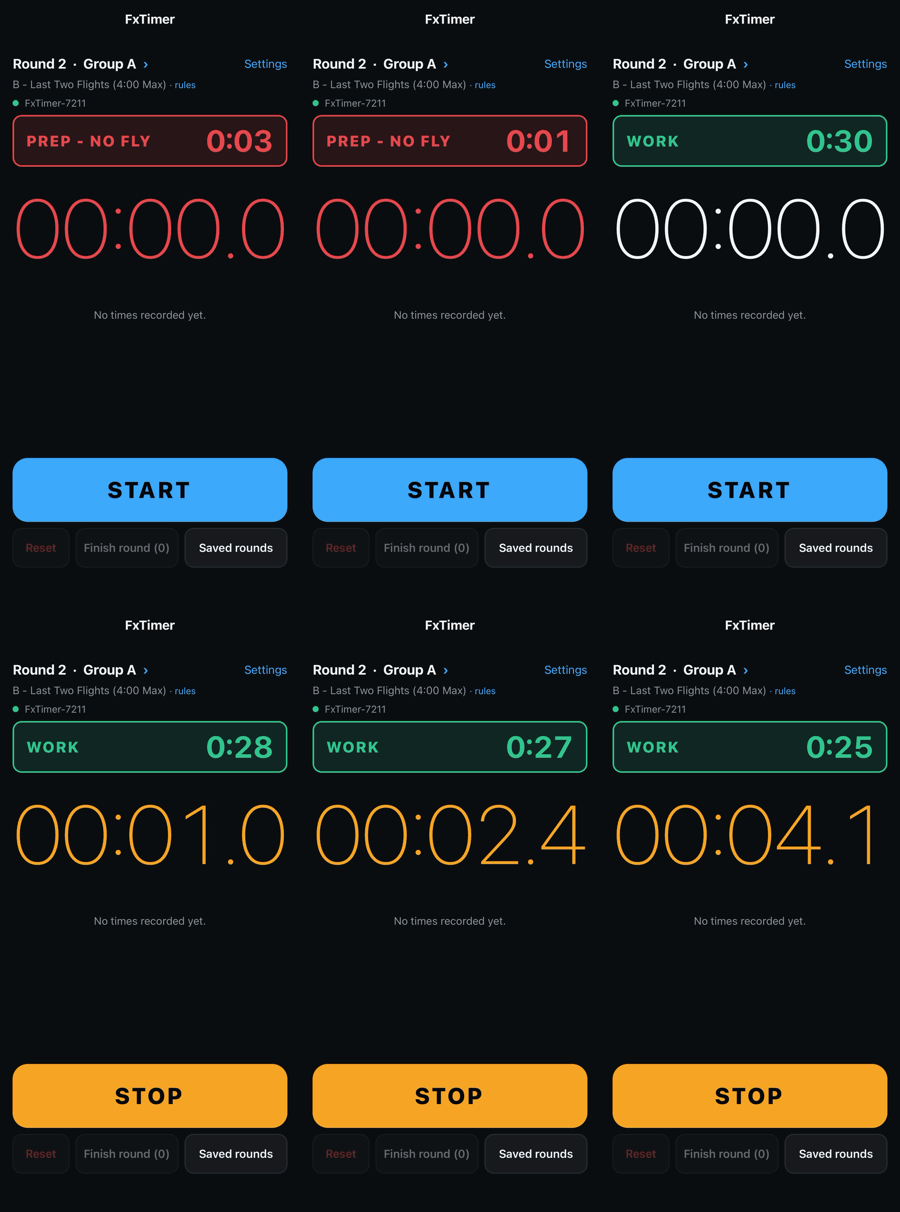
From the contest clock
With a bridge plugged into the timing system, the round, group, task and working window arrive on their own.
No typing between rounds. The round and group follow the contest. So does the task, and with it the scoring rules.
Preparation and no-fly time are unmistakable. The whole display turns red, so a glance from thirty metres away is enough.
The countdown stays honest. Every update carries how old it is, so the time shown is the time on the field rather than the time the message happened to arrive.
It reconnects by itself. A bridge that is power-cycled, or walked out of range and back, is picked up again without touching the app.
Without a timing system
Set it by hand. Round, group and task can be chosen on the timer screen and are recorded with the times exactly as a feed's own values would be.
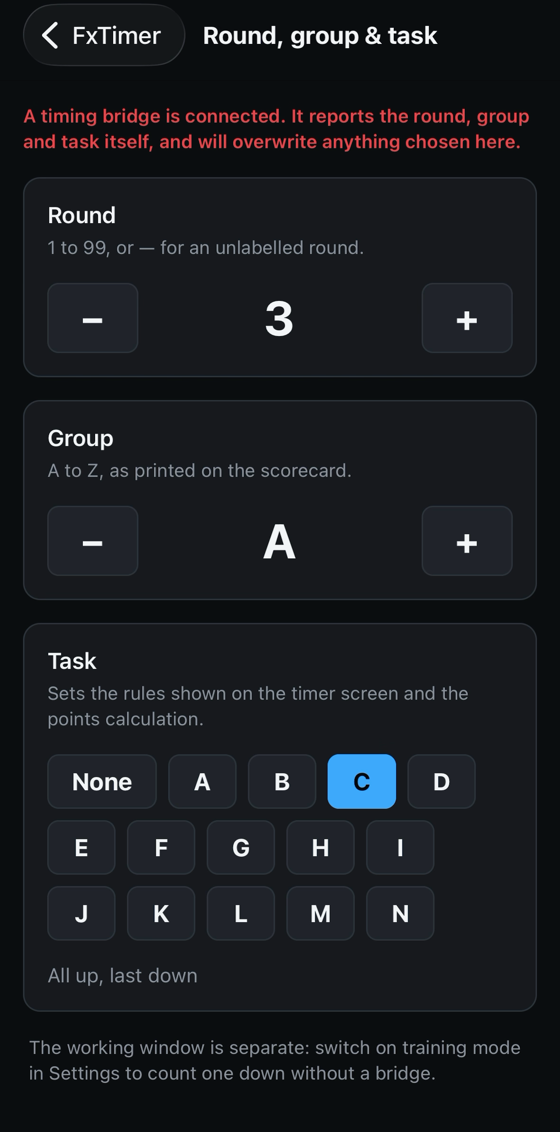
Training mode gives a working window of your own, with the same colours and the same end-of-window cue, so practice runs the way a round does.
Scoring
All thirteen F3K tasks, transcribed from FAI Sporting Code Section 4C effective 1 June 2026, each rule citing its section. Tap the task name on the timer screen to read them.
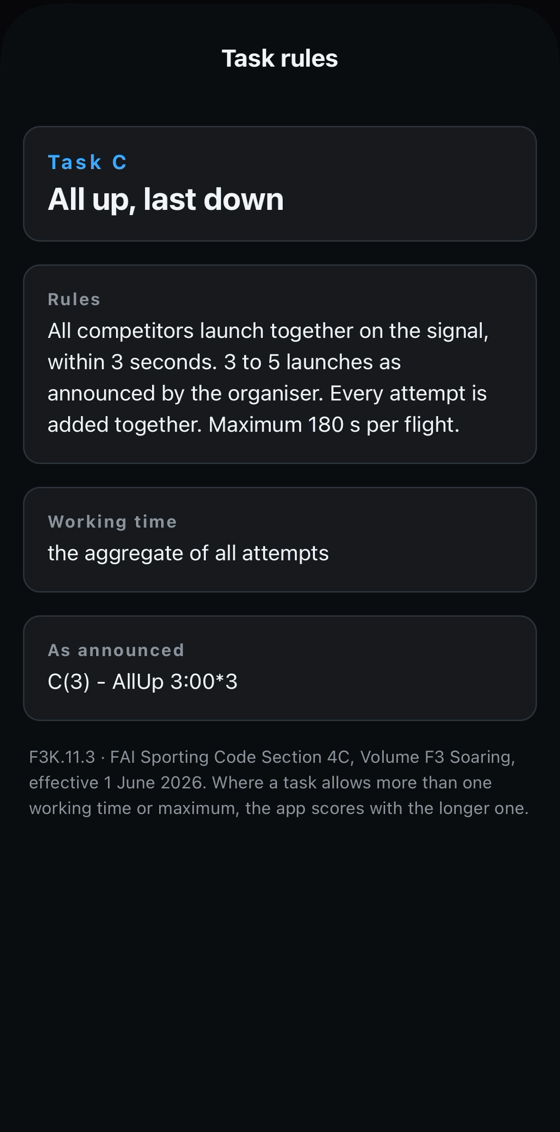
It knows which flights count. The last three for Task J, the best five for G, and so on — the round's score comes from the right flights rather than the first few flown.
Two limits worth knowing. The app produces the raw score, the sum of the counting times; the official score normalises against the best in the group, which needs everyone's times. And Poker (Task E) is not scored, because its score depends on target times announced to the timekeeper that the app never sees.
Getting the times into the scoring system
Scan the QR code on your scorecard once. After a round, the app opens your own self-entry page and fills in the times.
In whichever shape the site asks for. F3XVault takes three boxes per flight; Gliderscore takes minutes and a combined seconds field. The app fills each correctly and enters only the flights that count.
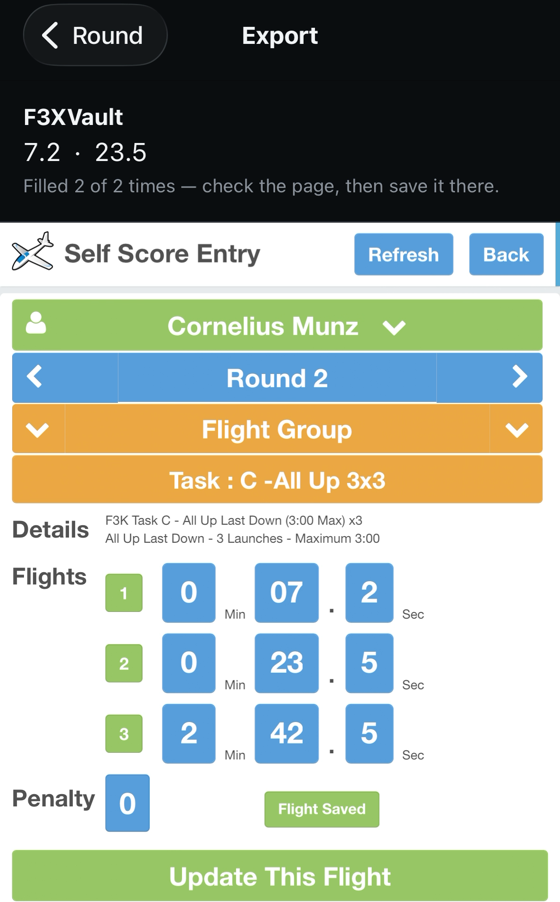
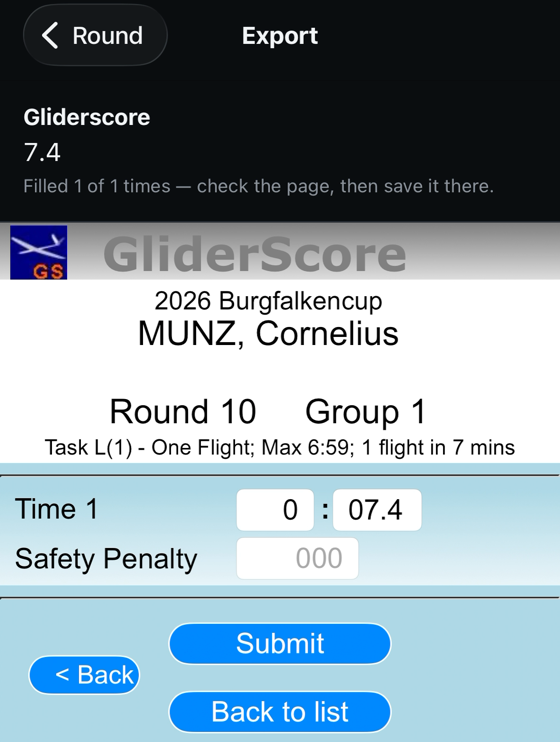
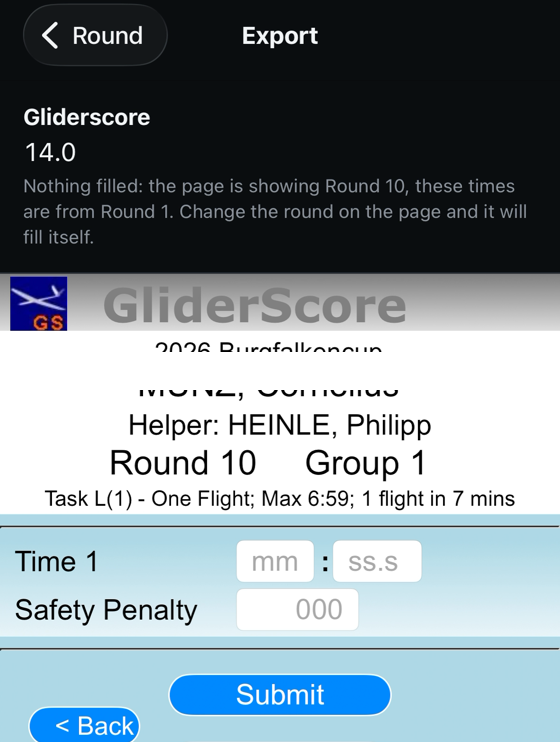
It never presses Save. You check the page and submit it yourself. If the page is showing a different round from the one you flew, the app fills nothing and says so.
Your data
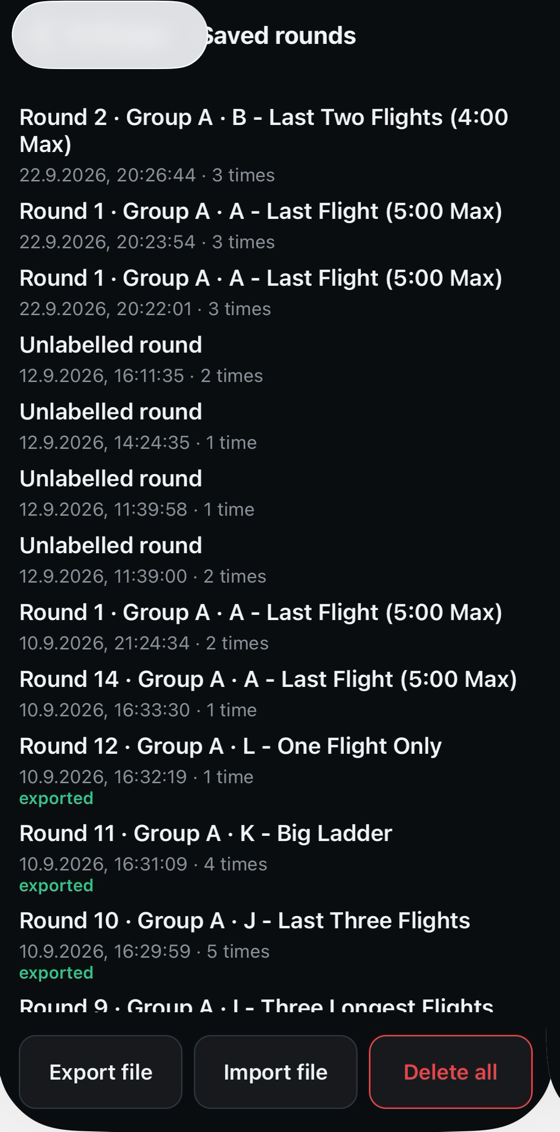
Rounds are saved on the device and can be exported and imported. Nothing is collected: no account, no analytics, no advertising, no tracking, and no server for anything to be sent to. See the privacy policy.